CHAPTER 01 / Undetectability
Your assistant. Not your shared screen.
Keep live help on your screen, out of supported screen shares. Check your setup before a call.
See how screen-share protection works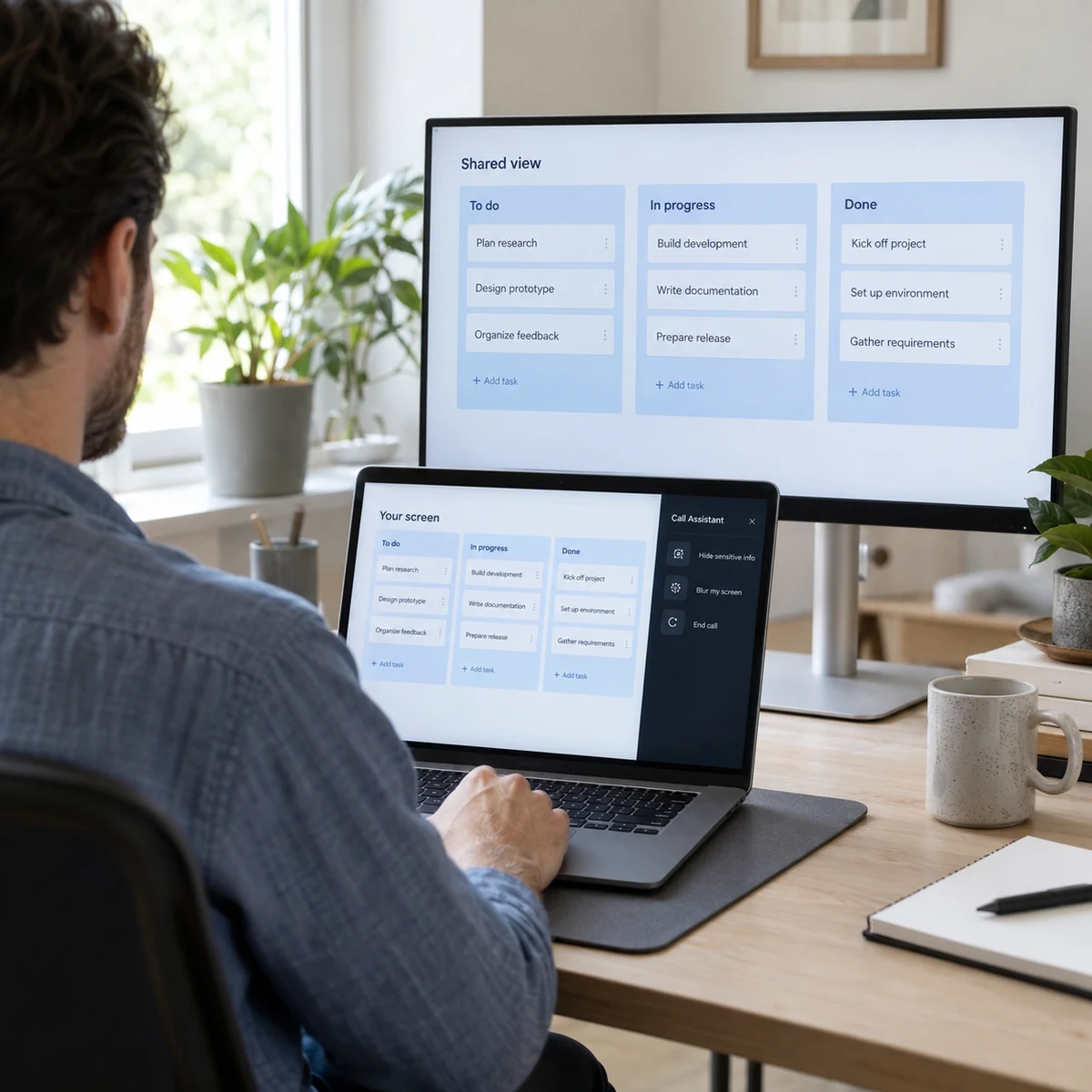
 Call Assistant AI
Prepare. → Practice. → Connect. → Learn.
Prepare your résumé and stories, rehearse with AI, get live help, and review what happened. For your next interview, client call, team meeting, and the work you do next.
Mac + Windows manual betas · Sign in to download THE CALL ASSISTANT COLLECTIONSkip tour Keep live help on your screen, out of supported screen shares. Check your setup before a call.
See how screen-share protection worksFollow the discussion and revisit what you chose to save.
Explore sessions
Your documents, project brief, and meeting notes. Together.
Prepare your context
Refine your résumé around the work you have actually done.
Explore Resume Maker
Bring your photos. Choose a look. Review your options.
Explore Headshots
Give your experience a beginning, a contribution, and an outcome.
Build your stories
Rehearse, work through follow-ups, and review your coaching.
Try a mock interview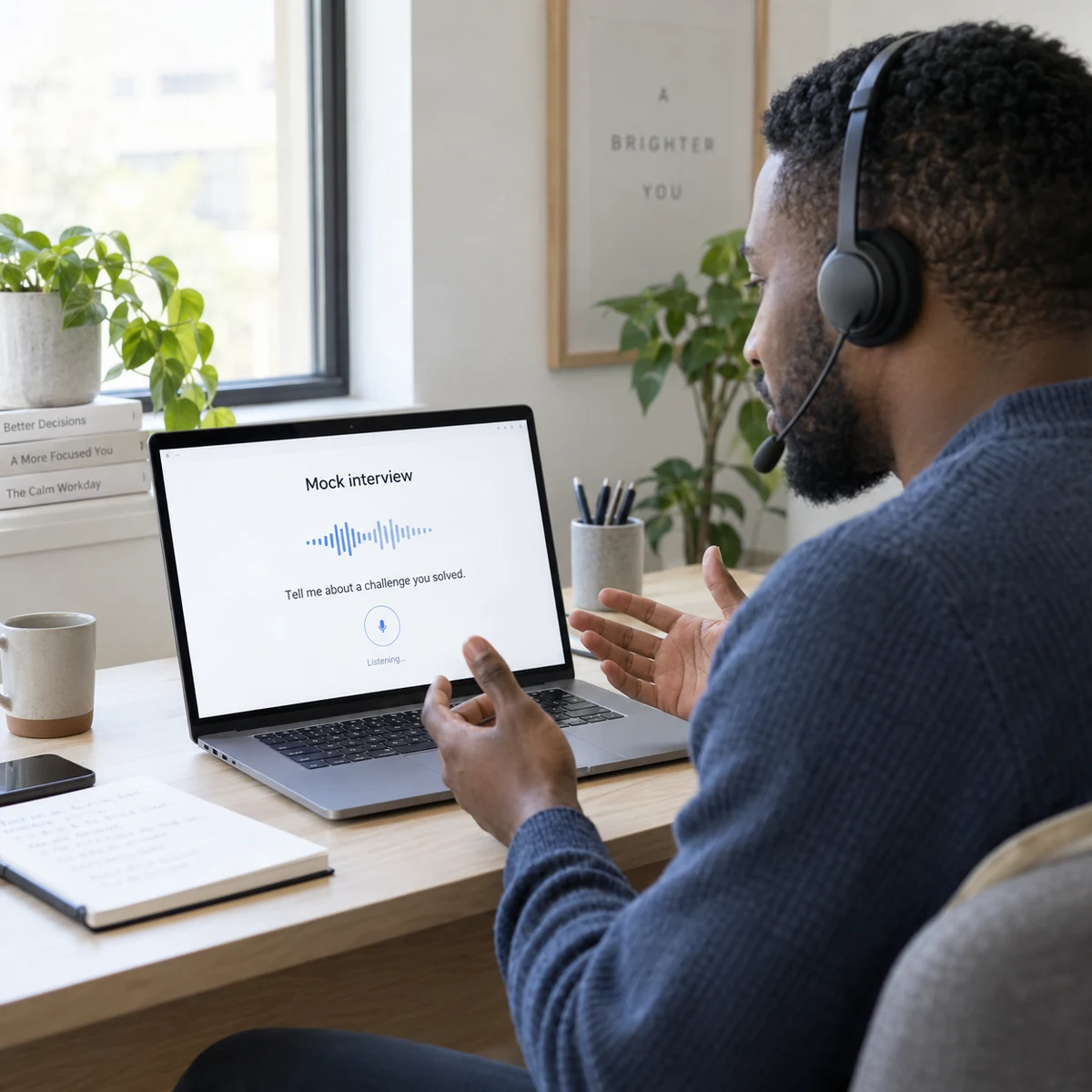
Return to saved transcripts, answers, and notes.
Explore session review
Explore the architecture. Connect the pieces. Explain the trade-offs.
Explore system designs
For the conversation ahead. And everything around it.
Open your workspace
AI-generated illustrative imagery, not customer photos or actual product results. Screen-share protection depends on your operating system, meeting app, and sharing mode. No audio capture or AI calls in this tour. Use assistance only where permitted.
Alongside the tools you already use. Assistance where it’s permitted.
 Zoom
Zoom Google MeetTMicrosoft Teams
 HackerRank
 LeetCode
 CodeSignal
Choose the tool for the moment: strengthen your story, practice your thinking, get live support, or revisit what you learned.
Create and refine your résumé, prepare a professional headshot, and keep the documents you need for your next conversation together.
Turn your real experience into behavioral interview stories. Organize what happened, what you did, and why it mattered.
Practice a role-specific interview by voice or text. Work through behavioral questions, write code, or sketch a system design with an AI interviewer.
Follow live transcripts and ask for talking points grounded in the call and your selected context, from interviews to team and client meetings.
Return to saved transcripts and answers, generate notes, and ask questions about a session. Take useful context into whatever comes next.
Explore the system design library and build on ideas in a visual workspace. Connect technical study with your interview practice and everyday work.
Play the guided tour or choose a feature. See what you bring, how it helps, and what you can take into your next conversation.
Bring your background into Resume Maker, refine the wording, and review the result before you use it.
“I organized the team’s customer onboarding work.”
Sample contentBring your experience. Start from your background and the role you want.
Open Resume MakerA guided illustration, not a recording of a customer session. No microphone, uploads, or AI calls run in this tour. Actual results vary; sign in to try the tools.
Call Assistant Desktop overlayStay in the conversation.
Question → context → talking pointsUnderstand what stays on your screen, what you share, and what you control. No guesswork before your next call.
Start focused. Learn together. Build on what works.
 Colleague
 You
YouIllustrative preview of screen-share protection. What others can see depends on your operating system, meeting app, and sharing mode. Test your setup before a call and use assistance only where permitted.
A private-window setting for supported capture methods.
The current Mac visible-test download is for diagnostics and does not enable this protection. A normal release must be verified with your operating system, meeting app, and sharing mode.
Keep the assistant compact and close to your conversation.
Window, Dock, and menu-bar behavior are different controls. The current app can still show a menu-bar icon; we do not claim it disappears from every system surface.
Ask for screen context when you choose to capture it.
Use Screenshot for the question or material currently on your screen. The demo here does not record or capture your browser, microphone, or desktop.
Keep useful transcripts and notes for after the call.
Use the session’s Save Transcript setting to choose whether to retain the transcript. Review your saved sessions and selected documents in your dashboard.
Start a session when you need help. End it when you’re done.
Your operating system still controls microphone and screen/audio permissions and can show recording indicators. We do not promise process, cursor, or focus-change invisibility.
Illustrations explain the experience; they are not platform-verification results. Check both sides of a test call before relying on screen-share protection.
From a personal story to a system diagram. Explore four ways to make your next answer easier to follow.
Break a broad question into components, data flow, and tradeoffs. A diagram makes the connections easier to explain.
Requirements → Diagram → TradeoffsHow would you design a notification service?
The tradeoff A queue absorbs traffic spikes, with eventual delivery rather than an immediate result.
There’s a person on the other side of every call.
From engineering and product to sales, operations, and leadership, good preparation and clear communication matter. Bring your own experience and context to the conversation.
Prepare with the client brief, get help with a question, and revisit the discussion afterward.
Keep project context close, follow the transcript, and turn a saved discussion into notes you can use.
Build your résumé and stories, rehearse with an AI interviewer, and review your answers before the next round.
Start with your context. Practice when you need to. Keep useful moments from the conversation and build on them.
Bring a résumé, project notes, or a meeting brief. For an interview, shape your stories and run a mock before the day.
Start a session, follow the transcript, and ask for help when you need it.
Revisit the transcript and notes when you save a session. Use what you learned in your next practice, design, or conversation.
Choose a monthly subscription or pay per call. Each new account gets one free 30-minute call session.
A monthly subscription for your regular conversations.
An ended paid session cannot restart. A new call needs another pass or an active subscription. Signing in again does not reset the free session. Review pricing and taxes before payment.
Prepare and practice in your browser. Get live help on your computer. Return to your saved sessions wherever you work.
Live transcription, screen context on request, and contextual answers beside your call.
Sign in to download for Mac or WindowsCreate résumés and stories, practice interviews, explore system designs, and review saved transcripts and notes.
Open dashboardOpen the responsive dashboard on your phone to review sessions and manage context.
The Mac manual beta is available after sign-in. It is not Developer ID signed or notarized. The Windows manual beta is available for x64 and ARM64 PCs after sign-in. It is unsigned and may show an unknown publisher warning. Live native audio capture requires the desktop app—not the mobile dashboard.
Use Resume Maker, Headshots, and Behavioral Stories to prepare your professional profile. Practice interviews by voice or text, including coding and system design work. After a saved session, revisit transcripts and answers, generate notes, and ask follow-up questions. The System Designs library gives you another place to study and build.
Google Calendar and Microsoft Calendar connections are being rolled out in Calendar & Zoom. When available, connect an account with read-only permission and choose which calendars to use. See upcoming meetings, open Zoom, Meet, Teams, or Webex links, and keep a meeting linked to its notes. You can explicitly include calendar availability when asking the assistant for a draft. Connecting does not join a meeting, start recording, change events, or send invitations. See our Calendar privacy details or check connection availability.
No. Interview tools sit alongside live assistance and session review for client calls, team discussions, and everyday work. Bring documents and project context to prepare for a meeting; use Mock Interview when you want to rehearse an interview. Use AI assistance where the participants and applicable rules permit it.
The desktop app includes a private-window setting intended to exclude its overlay from supported screen-capture paths. Behavior varies by operating system, meeting app, and sharing mode. Check the other participant’s view in a test call before relying on it. The comparison above is an illustration, not a recorded privacy test.
No. Start a session to begin capture. Your computer’s microphone and screen/audio permissions determine what the app can access, and you can end the session when you’re done.
The live conversation, plus the résumé, role description, notes, and documents you select. Review suggestions before using them—AI answers can be incorrect.
Mac and Windows manual betas are available after sign-in. The Windows installer includes x64 and ARM64 builds. Test your microphone and system audio before a call. The responsive web dashboard lets you manage sessions and documents from a browser, including your phone.
The Mac manual beta is ad-hoc signed, not Developer ID signed or notarized. macOS Gatekeeper may show a warning. The Windows beta is unsigned and may show an unknown publisher warning. Download only from the links on this site and follow your organization’s software policy.